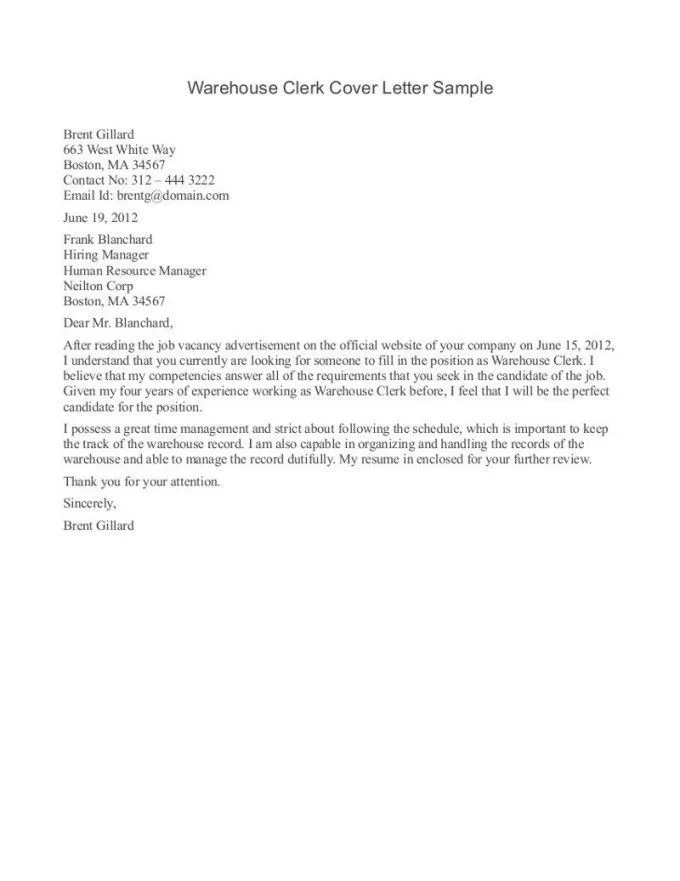
Formatting Your Cover Letter and Resume for Email
Sending a cover letter and resume via email is a standard practice in today’s job market. However, it’s crucial to format your documents correctly to make a professional impression. This involves ensuring your documents are easily readable, accessible, and visually appealing. Proper formatting helps recruiters and hiring managers quickly grasp your qualifications. Avoid complex formatting styles that might not render correctly across different email clients or devices. The goal is to present your skills and experience in a clear, concise, and professional manner, making it easy for the recipient to review your application. This is the first step in making a strong first impression.
Choose the Right File Format
When sending your cover letter and resume via email, the file format is important. The most widely accepted and recommended format is PDF (Portable Document Format). PDFs preserve your formatting, ensuring that your documents appear the same on any device or operating system. This is especially crucial for resumes and cover letters, where layout and design can significantly impact readability. While other formats like .doc or .docx might be acceptable in some cases, they can sometimes lead to formatting inconsistencies when opened on different systems. PDF ensures that your carefully crafted documents look exactly as intended by you and ready for them to view without any hassle.
How to Save Your Documents

Before attaching your cover letter and resume, save them with clear and professional file names. Avoid generic names like “resume.pdf” or “coverletter.pdf.” Instead, use a format that includes your name and the document type, such as “YourName_Resume.pdf” and “YourName_CoverLetter.pdf.” This makes it easier for the recipient to identify your documents and keep them organized. Additionally, always double-check that you’re saving the final, polished versions of your documents. Saving your documents with professional and easily identifiable names shows that you pay attention to detail, which is an important trait for any candidate. Ensure the documents are saved in PDF format to preserve the layout.
Crafting an Effective Email Subject Line
The subject line is the first thing a recruiter or hiring manager sees, and it can significantly influence whether your email is opened. A well-crafted subject line grabs attention and immediately informs the recipient about the email’s purpose. A vague or unprofessional subject line might result in your email being overlooked or even deleted. The subject line is your initial chance to create a positive impression and demonstrate your attention to detail and professionalism. To be sure the recipient opens and reads your email, you must get your subject line right.
Why the Subject Line Matters
The subject line’s importance cannot be overstated. It serves as the initial introduction to your application and provides the recipient with context. A clear subject line allows the recipient to quickly understand what the email is about, especially if they’re receiving numerous applications. It helps them prioritize emails and find your application easily when needed. A good subject line makes it easier for the recipient to manage their inbox and ensures that your application doesn’t get lost among other emails. A well-crafted subject line can immediately establish your professionalism and attention to detail.
Best Practices for Subject Lines

A subject line should be concise and informative. Include the job title and your name in the subject line, such as “Application for Marketing Manager - Your Name.” If you are responding to a specific job posting, include the job reference number or the company’s name as well. Avoid using phrases like “Resume” or “Job Application” alone; they are not specific enough. Ensure the subject line is grammatically correct and free of errors, reflecting your professionalism. Keep it brief and to the point to make sure it’s easily scannable and conveys the essential information. Using the correct subject line enhances your chances of being noticed.
Writing the Email Body
The email body serves as your cover letter’s digital equivalent, providing a brief introduction and highlighting your key qualifications. It’s an opportunity to express your enthusiasm for the position and the company. Keep the body concise, focusing on the most relevant points from your cover letter. The email body should not simply duplicate your cover letter; instead, it should provide a brief overview and encourage the recipient to open the attached documents. A well-written email body shows that you can communicate effectively and professionally. Make the email personalized to increase the chances that the recipient reads it.
Opening and Closing Your Email
Start your email with a professional greeting, such as “Dear [Hiring Manager name]” or “Dear [Mr./Ms./Mx. Last name],” if you know the contact. If you are unsure of the recipient’s name, use “Dear Hiring Team” or “To Whom It May Concern” as a last resort. In the body of your email, mention the position you’re applying for and briefly state how you learned about the opportunity. Conclude your email with a polite closing, such as “Sincerely,” “Best regards,” or “Thank you for your time and consideration.” Include your full name, phone number, and email address in your signature. A professional opening and closing demonstrate respect and attention to detail.
Highlighting Key Qualifications

In the email body, briefly highlight one or two key qualifications that match the job requirements. This is a chance to showcase why you are a good fit for the role. Mention any relevant skills or experiences that make you stand out. This should be a brief overview, as the detailed information is in your attached cover letter and resume. Keep your writing concise and easy to read, using bullet points or short paragraphs. This helps the reader quickly identify your most relevant qualifications. The goal is to entice the recipient to open your attachments and learn more about your skills and experience.
Attaching Your Documents
Attaching your cover letter and resume correctly is a critical step. Incorrectly attached files can lead to your application being missed. Double-check that you’ve attached the correct documents and that they are the most up-to-date versions. It’s better to review the attachments prior to sending. Incorrectly attaching your documents will likely get your application discarded. Attach the resume and cover letter to the email before sending. Make sure the files are formatted properly and saved. The details are very important, as a single oversight can impact your application.
How to Attach Files Correctly
Most email platforms have a paperclip icon or a similar symbol to indicate the attachment feature. Click this icon to browse your computer and select the files you wish to attach. Ensure that both your cover letter and resume are included. Once you select the files, they should appear below the subject line or in the email body, depending on the email client you use. Verify that the file names are correct and that both documents are attached. A simple but important step is to attach the documents before writing the email. This way, you will ensure that the files are sent with the email.
Preview and Proofread

Before sending your email, take the time to preview and proofread the entire message, including the subject line, email body, and attached documents. This step is crucial for catching any errors and ensuring your application looks polished and professional. A well-proofread email demonstrates attention to detail and commitment to quality. Proofreading before sending an email can prevent embarrassing mistakes and improve your chances of landing the job you want. Make sure to review your attachments so that you don’t send an old version or a wrong document.
Proofreading Your Email
Carefully read your email for any spelling, grammatical, or punctuation errors. Check that your sentences are clear and concise and that your tone is professional. Ensure that your name and contact information are correct. Read your email out loud to catch any awkward phrasing or unclear statements. Make sure your greeting and closing are professional and appropriate. Consider using a grammar checker tool to help identify any mistakes. A final check can help catch errors you might miss. Proofreading improves your credibility and shows attention to detail.
Proofreading Your Attachments
Thoroughly review your cover letter and resume. Check for any spelling or grammatical errors, formatting inconsistencies, or outdated information. Make sure all contact information is accurate and up-to-date. Verify that the content is relevant to the job you are applying for. Ensure that your formatting is consistent and professional. Proofreading your attachments is just as important as proofreading the email body. Carefully check your attachments before sending the email. This ensures that you present yourself in the best possible light.
Sending Your Email

Once you have previewed and proofread everything, you are ready to send your email. Double-check the recipient’s email address to ensure it is correct. A wrong email address can mean your application is never received. After sending, keep a copy of the email in your “Sent” folder for your records. Sending your email is the final step in the application process. After sending, you can follow up to increase your chances of success.
Timing and Follow-up
Consider the best time to send your email. Sending it during business hours on weekdays is generally recommended. Avoid sending it late at night or on weekends unless specifically requested. After sending your email, it is acceptable to follow up with the hiring manager or recruiter, usually within a week to ten days. This demonstrates your interest in the position. In your follow-up email, briefly reiterate your interest and mention the job title. If possible, refer to something specific from the job description or your previous communications. Be patient and professional in your approach.