Why PDF Cover Letters Matter
In today’s competitive job market, your cover letter is your first impression. It’s your chance to showcase your personality, skills, and enthusiasm for a specific role. But the format of your cover letter is just as important as its content. Sending your cover letter as a PDF (Portable Document Format) is a crucial step in ensuring your application looks polished and professional, and is optimized for applicant tracking systems (ATS).
Benefits of PDF Format
Choosing a PDF offers several advantages. PDFs preserve the formatting of your document, guaranteeing that your carefully crafted layout, font choices, and spacing appear exactly as intended, regardless of the recipient’s device or software. This consistency is essential to making a positive impression. Furthermore, PDFs are generally considered a more secure format, reducing the risk of unauthorized alterations to your cover letter.
Ensuring Compatibility

PDFs are universally compatible. This means the recipient can open and view your document on any operating system (Windows, macOS, Linux) and with any PDF reader, without needing to install special software or worry about font substitution. This widespread compatibility ensures that your cover letter is accessible to anyone, at any time, and helps you present your best foot forward.
Formatting Your Cover Letter
The format is more than just aesthetics; it affects readability and professionalism. The right choices can significantly impact how your application is perceived.
Choosing the Right Font
The font you choose for your cover letter sets the tone for your application. Select a professional and easy-to-read font. Common and safe choices include Times New Roman, Arial, Calibri, and Helvetica. Avoid overly stylized fonts that can distract the reader or be difficult to decipher. Remember, readability is key. Consider the impression each font makes and align the choice with the job and company culture.
Font Size and Readability

Stick to a font size between 10 and 12 points for the body of your cover letter. This range provides a good balance between readability and the space available on the page. Use a slightly larger size for your name and contact information at the top. Ensure that the font size you select allows for easy reading on both screens and printed documents. Proper font size will improve the applicant’s experience.
Margins and Spacing Best Practices
Use standard margins of 1 inch on all sides of your cover letter. This creates a clean and uncluttered appearance and gives the text room to breathe. Opt for single or 1.15 line spacing for the body text, adding a bit of space between paragraphs to enhance readability. Proper spacing helps prevent the letter from feeling cramped or overwhelming.
Layout and Design for Impact
The layout of your cover letter should be professional and easy to follow. The goal is to quickly convey your key qualifications and personality. Use clear and concise language, and avoid lengthy paragraphs.
Header and Contact Information

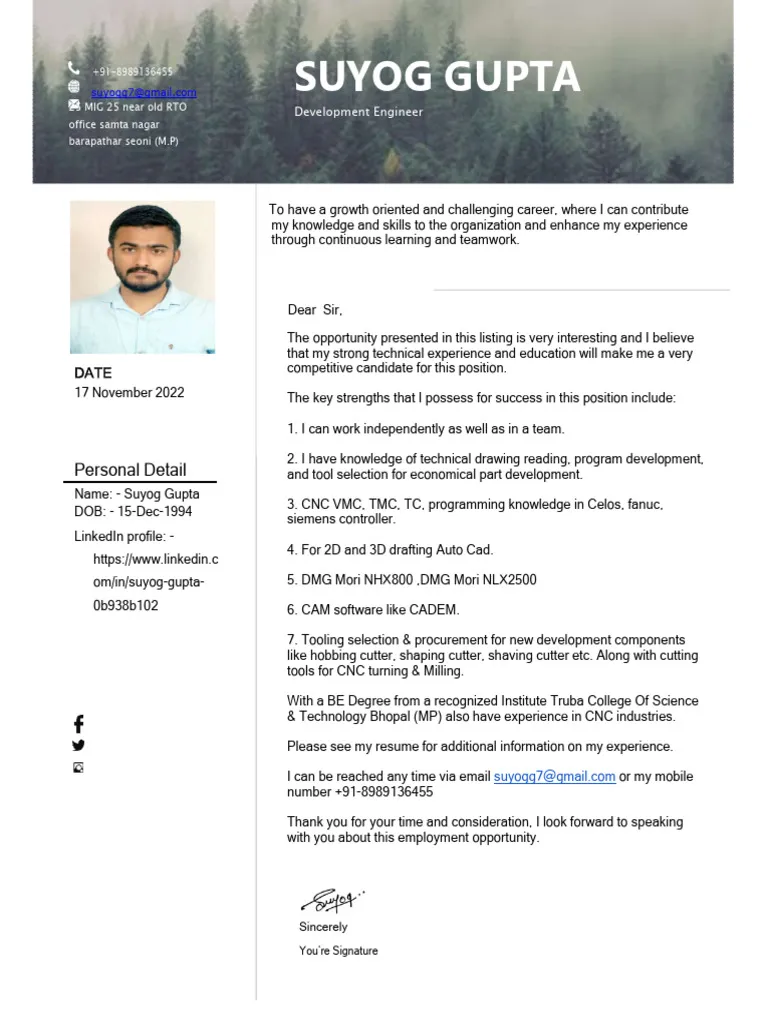
Begin your cover letter with your contact information. Include your full name, phone number, email address, and optionally, your LinkedIn profile URL. Align this information to the left or right, depending on your preferred aesthetic. Then, provide the date and the hiring manager’s name (if available) and the company’s address.
Body of the Cover Letter
The body of your cover letter should consist of a few well-structured paragraphs. Start with a strong opening statement that grabs the reader’s attention and states the purpose of your letter. Follow this with a paragraph that highlights your relevant skills and experience. Then, provide specific examples to support your claims. Conclude with a call to action, expressing your interest in the position and your availability for an interview.
Effective Paragraph Structure
Each paragraph should have a clear focus. Start each paragraph with a topic sentence. Develop your arguments with supporting details, and end with a concluding sentence that summarizes the main point. This structure ensures that your cover letter is easy to read and understand. Divide the text into logical sections to maintain the reader’s interest.
Highlighting Skills and Experience

Carefully review the job description and identify the key skills and experiences the employer is seeking. Then, in your cover letter, provide specific examples of how you have demonstrated those skills and achieved positive results. Use action verbs to describe your accomplishments, and quantify your achievements whenever possible. This demonstrates that you meet the job requirements. Tailor your cover letter to each specific role.
Tailoring to the Job Description
Customize your cover letter for each job application. Use the same keywords and phrases from the job description. This demonstrates that you understand the employer’s needs and are a strong match for the role. Avoid using a generic cover letter. Instead, take the time to research the company and tailor your letter to the specific position and the company’s values.
Call to Action and Closing
In your closing paragraph, reiterate your interest in the position and express your enthusiasm for the opportunity. Include a clear call to action, such as stating that you are available for an interview at their earliest convenience. Thank the hiring manager for their time and consideration, and use a professional closing, such as “Sincerely” or “Best regards,” followed by your name.
Saving and Sending Your PDF

Once your cover letter is complete, it’s time to save it as a PDF and prepare to send it. The way you save and name your file can either boost or hurt your chances of getting noticed.
File Naming Conventions
Use a clear and professional file name. Include your name and the words “cover letter” in the file name, for example, “JohnDoe_CoverLetter.pdf.” Avoid using spaces or special characters in the file name. A professional file name makes it easy for the recipient to identify and organize your document. This also helps to avoid confusion.
Testing and Proofreading
Before sending your cover letter, review it meticulously. Read it aloud to catch any grammatical errors or typos. Then, ask a friend or family member to proofread it as well. This extra set of eyes can identify any mistakes you might have missed. Ensure the formatting looks correct and the file name is appropriate. Test the PDF by opening it on different devices and platforms to ensure that your formatting remains consistent.
Common Mistakes to Avoid

Even with all the right steps, some mistakes can undermine your cover letter. Here are some common pitfalls to avoid.
Incorrect File Format
Do not send your cover letter in any format other than PDF unless specifically requested. Other formats like DOCX might have formatting issues. PDF guarantees your letter appears as you intend.
Typos and Grammatical Errors
Typos and grammatical errors create a negative impression. Always proofread your cover letter carefully. Use a grammar and spell checker to avoid these mistakes. Errors show a lack of attention to detail and can be a major turnoff to a potential employer.
Poor Formatting
Poor formatting makes your cover letter difficult to read and can make it look unprofessional. Stick to standard margins, font sizes, and spacing. Avoid using excessive colors or graphics, unless they are specifically requested by the employer. Ensure your contact information is current and easily accessible.
Final Thoughts
Creating a perfect PDF cover letter is a crucial step in your job search. By following these guidelines, you can create a cover letter that is well-formatted, easy to read, and showcases your skills and experience effectively. Remember that your cover letter is your first impression, so make it count. Good luck with your job search!